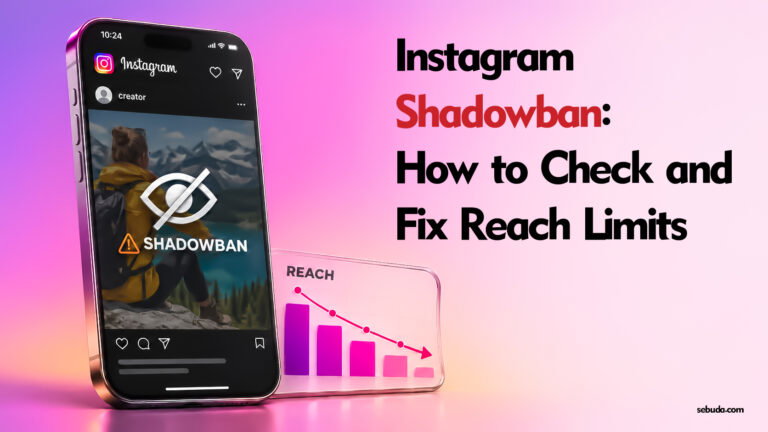
An Instagram shadowban is a common label for reduced visibility, especially to people who do not follow you. A drop in views alone does not prove that Instagram has restricted your account. Start with Account Status, then compare your reach and content performance.
This guide separates recommendation restrictions from ordinary reach changes, explains official review options, and lists successful experiences reported by users. Restoring recommendation eligibility does not guarantee that views will return to a previous level.
What is an Instagram shadowban?
Creators use “shadowban” to describe several different problems. Instagram’s official tools use more specific concepts, including recommendation eligibility, removed content and feature restrictions. Identifying which problem you have is more useful than looking for a universal shadowban timer.
Meta’s Recommendation Guidelines explanation makes a key distinction: some content can stay on Instagram while being excluded from places where Instagram recommends content. Permission to publish and eligibility for recommendation are different standards.
A recommendation restriction can affect discovery by non-followers. It does not mean your profile disappears everywhere, that followers are automatically blocked from seeing every post, or that you have lost access to the account.

How to check an Instagram shadowban
| What you observe | What to check | What it establishes |
|---|---|---|
| A notice that your account or content cannot be recommended | Account Status and the reason shown | An identified eligibility issue, with any action or review options offered |
| Lower views with no restriction shown | Insights across comparable posts and periods | A performance change that needs investigation, rather than proof of punishment |
| A removed post or unavailable feature | The specific removal or feature notice | A separate decision that may have its own review route |
| A suspension notice when logging in | The login notice and appeal deadline | An account-access problem requiring the suspension appeal flow |
1. Open Account Status
Open your Instagram profile, tap the menu, and find Account Status in settings. Menu names and available sections can vary by account, app version and region. Professional accounts have tools for checking recommendation eligibility. Read every relevant section instead of treating one green check as a guarantee about the whole account.
Record the wording, the date, any flagged item and whether the notice concerns a particular audience. If Instagram identifies content or part of your profile, review that item. Meta’s creator recommendations guidance describes using Account Status to identify ineligible content, remove affected content and appeal a mistake.
2. Compare reach in Insights
Where Insights are available, compare follower and non-follower reach over similar periods. Review several comparable posts, not only the post after a viral hit. Note the format, subject, posting date and any changes to the audience or content strategy.
A large decline can justify investigation, but it cannot reveal an undisclosed enforcement decision by itself. Keep a simple record of changes and results so you can distinguish restored eligibility from improved performance.
3. Do not rely on a hashtag test or third-party checker
Not finding a post in one search is not a definitive account diagnosis. Search and recommendation results can differ between viewers. A “shadowban checker” that cannot see Instagram’s internal decisions cannot certify your account’s status. Do not provide passwords or login codes to such a service.
What can limit Instagram recommendations?
Content that does not meet recommendation standards
A post may be allowed to remain but unsuitable for unsolicited recommendations. Read the reason Instagram provides and the applicable guidelines. A content-removal appeal and a recommendation-eligibility review are related but different outcomes; check both statuses after a decision.
Profile or linked-content issues
Inspect the profile elements identified in the notice, such as a bio, profile image or link. Do not assume that a particular link service is universally banned because another creator reported a flag. Review the destination and the reason for the restriction rather than using redirects or disguising prohibited material.
Unoriginal content and repeated reposting
Instagram has announced measures to favor original content and limit recommendations of repeat aggregators. Its 2024 announcement distinguished substantially transformed work from repeated reposting and described a specific recovery period for affected aggregators. That policy-specific period is not a universal shadowban duration.
Originality remains relevant: Meta’s January 2026 performance update reported increasing the share of original content in Instagram recommendations in the US. Prefer content you create and meaningful creative contributions. Giving credit alone does not establish recommendation eligibility or permission to reuse someone else’s work.
Audience-specific protections
Some limits concern teen audiences rather than every viewer. In its Teen Accounts update, including changes announced in April 2026, Meta described limiting teens’ access to accounts that regularly share age-inappropriate content and removing affected teens from those follower lists. Affected accounts would be notified in Account Status. Read the audience scope before interpreting a reach or follower decline as a general shadowban.
How to fix an Instagram shadowban or recommendation restriction
- Save the current notice. Keep screenshots of the reason, flagged content and any deadline or review reference.
- Review what Instagram actually identifies. Check affected posts and profile elements. Avoid deleting your entire history just because views declined.
- Correct a genuine issue using the offered controls. Edit or remove affected material when appropriate. Keep a copy of important content before removing it and read how the available action works.
- Request review if you believe the decision is mistaken. Follow the review or disagreement option in Account Status, if offered. Explain the content accurately and provide relevant context when the flow allows.
- Check the result. Confirm whether recommendation eligibility changed. Restoration of a removed post alone does not establish that every account restriction has ended.
- Monitor actual distribution. Compare non-follower reach across subsequent comparable posts. Record status recovery and reach recovery separately.
If the screen fails to load or a review cannot be submitted, save the error and use Instagram’s available problem-reporting or help tools. A technical problem report is not itself a decision overturning a restriction. Do not repeatedly submit the same request simply to trigger more reviews.
If you cannot log in and see a suspension notice, follow our separate Instagram suspension and appeal guide. If unfamiliar activity suggests a takeover, secure the associated inbox using our email security guide.

How long does an Instagram shadowban last?
There is no single reliable duration covering everything users call an Instagram shadowban. A feature block, a recommendation restriction and an ordinary performance decline are different situations. Use the time or next step shown in your own notice when provided.
Do not treat “14 days,” “48 hours offline,” or “30 days” as a universal recovery promise. The successful reports below describe individual outcomes. They do not establish the average waiting time, and a green eligibility indicator does not promise a particular number of impressions.
Instagram shadowban fixes that are not proven
- Deactivating and reactivating: this does not establish that a recommendation decision will be reset.
- Deleting every hashtag: correct an actual problem if identified; do not assume all repeated hashtags automatically restrict an account.
- Taking a fixed two- or three-day break: a break is not an official appeal or a guaranteed eligibility reset.
- Switching account types, devices or networks: these changes do not prove a moderation restriction has been removed.
- Resetting suggested content: Instagram’s recommendations reset changes what the viewer sees. It is not a creator-account unban button.
- Buying promotion or a recovery service: payment is not evidence that organic recommendation eligibility has been restored.
Avoid artificial engagement and suspicious tools that request account credentials. This protects account integrity; it is not a claim that every legitimate publishing or scheduling tool causes an Instagram shadowban.
Frequently asked questions
Can my Account Status be green while my reach stays low?
Yes. Eligibility means content may be considered, not that it must receive a particular distribution. Check performance separately and do not call every low-performing post an enforcement action.
Will deleting a flagged post always restore eligibility?
No guarantee follows. Other flagged content, a profile issue or a separate restriction may remain. Check the whole notice and the outcome after any change.
Is archiving the same as resolving a violation?
Do not assume so. One successful user report below involved archiving, but that does not establish a general policy. Follow the action Instagram provides for your case and verify the resulting status.
Can being reported automatically prove I was shadowbanned?
No. A report, a decline in views and an enforcement decision are different events. Use the specific notice or status information rather than guessing how many reports caused a restriction.
Users’ Personal Experiences With Instagram Shadowban
Only successful outcomes explicitly reported by users are listed here. They are personal accounts, not independently verified tests or official promises. Searches covered publicly indexed Reddit, Facebook, X and Threads discussions; the sufficiently detailed examples selected came from Reddit. Private or inaccessible discussions were not reviewed, and this is not an exhaustive record of every recovery.
- Requesting review — dark-critter. In a Reddit discussion, this commenter reported that an appeal restored recommendation eligibility. When the restriction recurred, another appeal restored it again, and they reported no further recurrence at that point. Reported success: eligibility restored; no reach figures supplied. Useful action: use the offered review route for a decision you believe is mistaken. Read the successful appeal report.
- Editing flagged captions and archiving selected posts — Half_Baked_Thot. The author later reported removing questionable wording and hashtags from flagged captions and archiving two suggestive posts. They said recommendation eligibility returned to green almost immediately. Reported success: status recovery, without a measured reach comparison. Several changes were made, so the post cannot isolate which one caused the result or prove archiving always works. Read the successful follow-up.
- Removing a suspected bio-link problem — BokutoFromHaikyuu. This user reported that removing their Carrd link was followed by Account Status returning to green. Reported success: eligibility indicator restored; reach recovery was not measured. Useful action: examine a flagged profile link and its destination. This one case does not show that Carrd or link-in-bio services are universally prohibited. Read the successful profile-link report.
- Removing flagged content and checking non-follower distribution — a Reddit creator. In an update to an Account Status discussion, the author reported deleting the flagged posts on one account, regaining green status within about 20 hours and seeing distribution to new followers resume. Reported success: both a status change and a reported discovery improvement, without independently verified analytics. The timing is specific to that account and does not establish a standard recovery period. Read the successful content-removal update.
These cases support practical checks: review the identified issue, appeal a mistake, make relevant corrections and verify the outcome. Since this list intentionally includes successes only, it cannot be used to calculate success rates or promise that the same action will work for another account.